Latest Articles
Stay updated with the latest news, updates, and tips from K2er

Dominate Bike Stunts with Gamepad and K2er in Bike Stunt Game: Tricks Master
Elevate your stunts in Bike Stunt Game: Tricks Master using a gamepad and the free K2er keymapper. Pull off perfect flips, wheelies, and ramps with precise analog control and button taps—no more slippery touch inputs. This guide shares my setup for smoother rides across Freeride Quests, Light Trigger, and multiplayer challenges.

Master Karate Fighting Kung Fu Game with Gamepad and K2er
Elevate your kung fu battles in Karate Fighting Kung Fu Game using a gamepad and the free K2er keymapper. This guide shares my setup for smooth movement and precise combos, turning chaotic fights into controlled dominance.
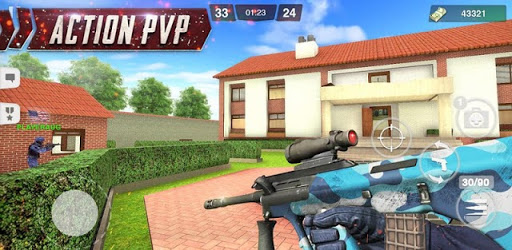
Master Special Ops: FPS PVP Gun Games with Mouse and Keyboard Using K2er
Discover how to play Special Ops: FPS PVP Gun Games on PC-like setup with mouse and keyboard via K2er, a free key mapping tool. Enjoy precise aiming, smooth movement, and dominate PvP battles effortlessly.

Dominate Samurai Warrior: Action Fight with Gamepad Controls via K2er
Discover how to enhance your gameplay in Samurai Warrior: Action Fight using a gamepad and the free K2er key mapping tool. This guide walks through connecting your controller, mapping essential moves like slashes and dodges, and enjoying precise control in intense hack-and-slash battles as a ronin samurai.

Dominate Steel Rage: Mech Cars PvP War with Mouse and Keyboard on K2er
Discover how to enhance your gameplay in Steel Rage: Mech Cars PvP War using mouse and keyboard with the free K2er key mapping tool. This guide covers setup, custom mappings for precise control in fast-paced PvP battles, and tips to customize your mech cars for victory.

Dominate Rope Gangster Crime City with Mouse and Keyboard via K2er – Free Mapping Guide
Discover how to enhance your gameplay in Rope Gangster Crime City using mouse and keyboard with the free K2er tool. Swing through the city, shoot rivals, and spawn vehicles effortlessly with precise controls. This guide covers setup, key mappings for movement, aiming, driving, and special functions to make you a true rope gangster.

Dominate Tacticool PvP Battles with Mouse and Keyboard via K2er – Free Setup Guide
Elevate your gameplay in Tacticool: PvP Action Shooter using mouse and keyboard with the free K2er key mapping tool. This guide walks you through seamless controls for top-down shooting, squad tactics, and chaotic car chases, turning mobile frenzy into precise domination.

Dominate Combat Basketball- Sharp War Using K2er with Gamepad
Discover how to enhance your gameplay in Combat Basketball- Sharp War by mapping gamepad controls with the free K2er tool. This guide covers setup, key mappings for movement, attacks, and dodges, plus tips from an experienced player to make street fighting basketball feel more precise and responsive.
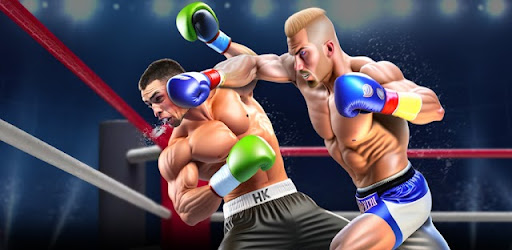
Dominate Punch Boxing Game: Ninja Fight Using Gamepad and K2er
Discover how to enhance your gameplay in Punch Boxing Game: Ninja Fight with a gamepad and the free K2er key mapping tool. This guide covers setup, intuitive controls for movement and attacks, and tips to become a boxing champion effortlessly.

Master Fire Zone: Flame Gun Shooting with Mouse and Keyboard via K2er
Discover how to enhance your gameplay in Fire Zone: Flame Gun Shooting using mouse and keyboard controls with the free K2er tool. This guide covers setup, key mappings for precise aiming and shooting, and tips to survive fiery battles against mutants and bugs more effectively.
Dominate Rope Gangster Crime City with Gamepad Controls via K2er
Enhance your gameplay in Rope Gangster Crime City by connecting a gamepad through the free K2er key mapping tool. Swing ropes, shoot rivals, and spawn vehicles effortlessly with precise controls on mobile.
Dominate Tacticool Battles with Gamepad and K2er Key Mapping
Discover how to enhance your Tacticool gameplay using a gamepad and the free K2er tool. This guide covers setup, intuitive controls for movement, aiming, and vehicle handling in fast-paced top-down action. Improve precision in PvP matches, zombie survival, and more without touch controls.